
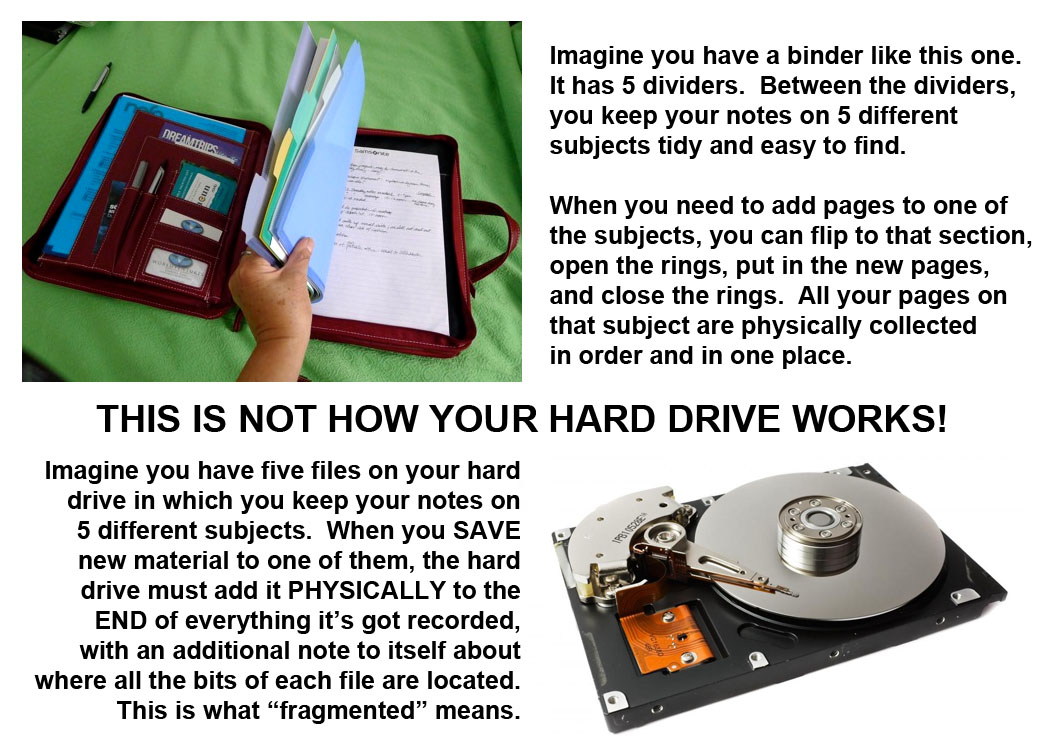
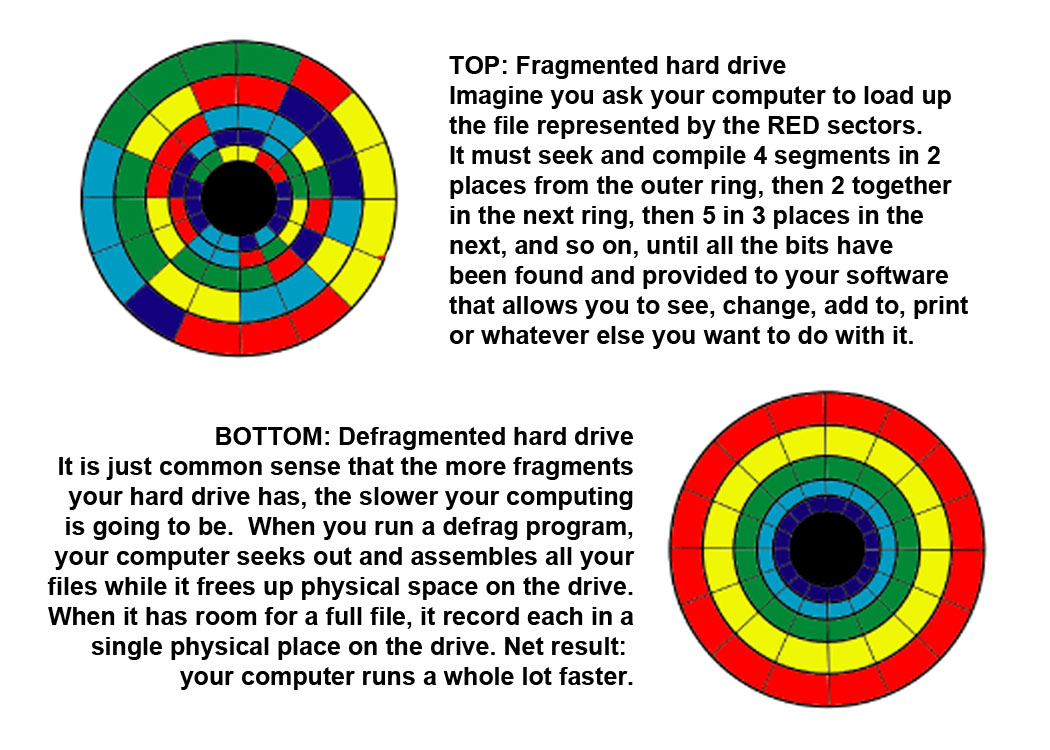
Click on graphics to embiggen for easier reading.
I use Piriform’s Defraggler program. It’s free, it works well, but there are others out there. Get one. Use it regularly. One tip: If you haven’t defragged in a while (or ever), the first time will take HOURS … and hours and hours. You don’t have to babysit it. Just make sure its running okay and go to bed. The next time won’t take anywhere near as long. If it gets interrupted for some reason, just start it again.







 polination.blog
To some extent, later versions of Windows are supposed to be auto-defragging. Don’t know how well I’d say that works.
Another thing about defragging, you’ve got to have enough room free on the disk for the operation. That’s what often stops me. “Scotty” voice: Ach! Me poor, overloaded drives. They canna take much more, Cap’n! 😦
Second graphic, first circle: iridology indicates severe problems.
LikeLiked by 1 person
Iridology rofllllllllllll snort
LikeLike
Defragging reminds me to clean off old files. 🙂
LikeLike
10/29 – I sent this to my puter tech friend and got a huge Atta Girl back today. “This was awesome. This was the best graphic explanation of defragging I’ve ever seen, and I’ve been at this for nearly 30 years.”
LikeLike
Nice! I might have to hire you to do some of the graphics for my gov’t reports. Or (unfortunately) my PowerPoint presentations to explain why I don’t owe the IRS any more money. 😉
LikeLiked by 1 person